

This is everything I needed for my inbox! I was using Boomerang but this is a lot more intuitive.
By downloading Right Inbox for Gmail, you agree to our Terms and Conditions of use.

JOEL FRIEDRICH Manager, United Kingdom
“Right Inbox is a tool you never knew you needed. I couldn’t go without it anymore.

WINIE KOSASIH Freelancer, Indonesia
Right Inbox is super convenient. I can’t imagine dealing with email without it.

TETSUFUMI FUKANO CEO, Japan
“Right Inbox is like having a personal assistant. Couldn’t go without it anymore.”

PETER SIGURDSSON Business Owner, Iceland

02

In the Mac App Store, click Get to install
This will open the App Store app on your Mac 03
Next, click Install app to confirm installation
04
Click Open to open Right Inbox
Wait for the installation to complete 05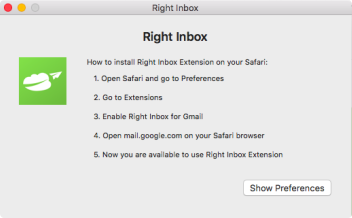
Follow instructions to start using Right Inbox with Gmail